

Isdn USB Type-C To EDP Driver Board EDP Signal 2K 4k 30PIN 40PIN Portable LCD Projector Screen Display EDP Signal Notebook Phone


Isdn USB Type-C To EDP Driver Board EDP Signal 2K 4k 30PIN 40PIN Portable LCD Projector Screen Display EDP Signal Notebook Phone
Type-c to EDP driver board phone LCD projection Screen 2K 4k 60HZ 240hz for 30p 40p Mobile laptop LCD display
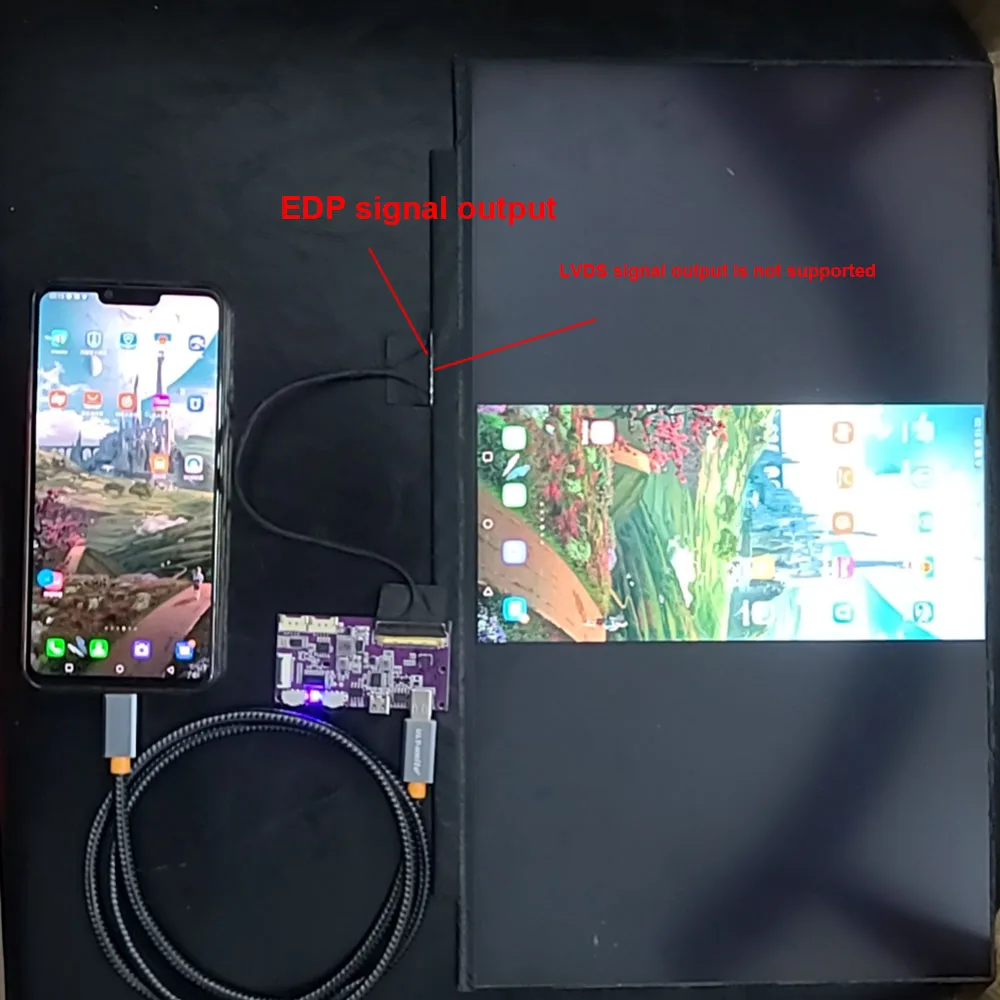
Only supported the EDP output signal screen.
LVDS output screen is not supported
When purchasing. Please search the parameters of the query screen
if you need buy cable you can buy the link
https://www.aliexpress.com/item/1005006480916305.html
Notes:
Type-C cable need Type-C 3.1 cable. Type-C cable must support video transmission 、Recommend USE Thunderbolt 4 or 3
Not Supported Type-C 2.0 3.0 cable
Mobile phones need to support video projection function, and computers need to support Type-C video transmission interface
A function description:
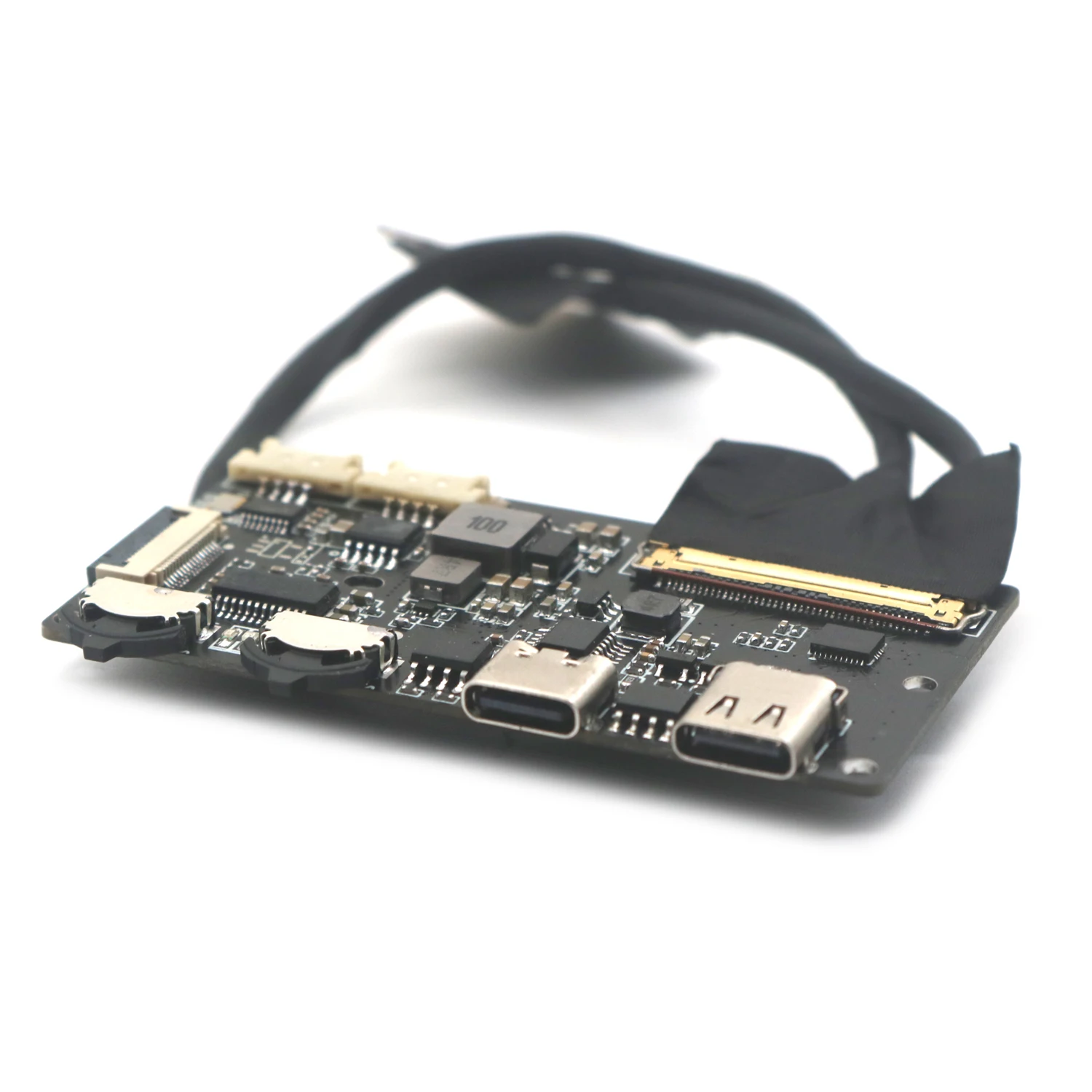
1. Insert Type-c 24PIN (Thunderbolt 4 for short) into the initial state of the product. Press SW1 to light up the screen. 50% backlight brightness at first startup. The last brightness is automatically saved after power failure.SW2 is the function of volume adjustment and mute. Audio decoding using type-c Isdn interface USB protocol. Audio power supports 2W stereo speakers. Key expansion interface ADAPTS to most (public 16P) keyboards.
2. Do not plug and unplug the EDP cable while live. The screen may be damaged. If you want to remove the cable. The power must be turned off first in order. Remove all ports before removing the EDP cable.
3. Reserve the USB touch screen port. The USB to I2C touch module is required
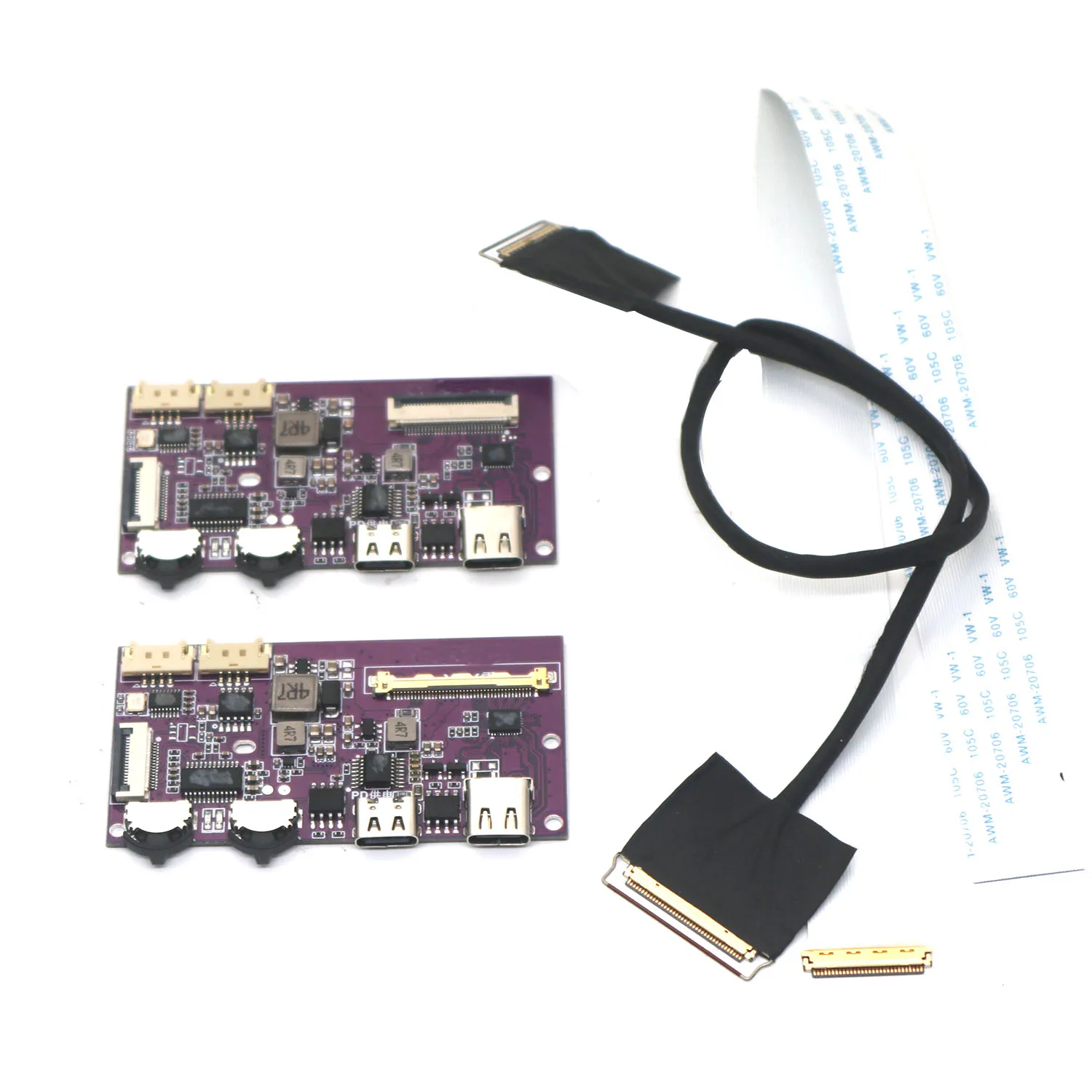
EDP30 / EDP40 versions,
EDP40: 40Pin (0.5MM spacing in the same direction) is a coaxial signal output Supports 4LAN signal 4K 120Hz, 2.5K 240Hz, backward compatibility;
EDP30: 30PIN ; FPC flexible cable (30pin reverse 0.5MM spacing) bus interface, supporting 2LAN signal 1920 * 1080 downward compatibility.
Two performance parameters:
TYPE-C24PIN Thunderbolt 4 is the signal input, and the 40G special transmission line of Thunderbolt 4 is required for one-line projection.
The default backlight voltage is 12V, and the default drive logic voltage is 3.3V.
keystrokes: 50,000 times.
Operating temperature: -40-85℃
dimming frequency 2KHZ. (non-polar dimming 8%-100% brightness) Adjust the minimum brightness to the maximum brightness for 5 seconds after downtuning
Supports 12V/20V LCD backlight voltage selection, suitable for different panels.
EDP30-2LAN (40P to 30P switching screen cable) resolution is 1920*1080,
Edp40-4lan supports 2560*1440 240HZ 120HZ, 5120*2880 60HZ backward compatible.
Supports the reverse power supply for the mobile phone with an anti-adapter, reserving 15W power for the device during charging, and supports the PD 9V/12V/15V protocol fast charging.
Supports 2W horn ports.
Currently supported mobile phones for testing (welcome to add):
Huawei: P-series P20 and above, Mate series Mate10 and above
And Honor v20/v30, Honor Note10/Mate RS Porsche
LG: G6 V20 V30 G8 V50 V60
Samsung: S20 Uitra 5G, S8/8+, S9/9+, S10/10+
Note20 Note10/10+(5G version)/Note9
Nut: R1/Pro2S
OPPO: R17Pro, Reno10 Zoom Edition
OnePlus: 8/8Pro, 7Pro, 7T/7T Pro/7T Pro McLaren Edition
Hammer: Nut R1, Nut Pro 2S
Black Shark: Black Shark 2
ZTE: Tianji 9
computer
Apple: MacBook 12 inch, MacBook Air 2018/2019/2020
IPad Pro 2018/2020 iPad Air (4th generation) MacBook Pro 2016/2017/2018/2019/2020
Huawei: MateBook14, MateBook13, MateBookX/XPro
MatePad 10.8-inch, MatePadPro MateBookXPro2019, MateBookE/E2019
Honor: MagicBookPro/2020 MagicBook
Xiaomi: Air12.5/13.3-inch, Pro15.6-inch Enhanced Edition
Asus: POG series Lingyao 3, Lingyao 3Pro, Lingyao X series, U4100UN, U5100UQ
Lenovo: ThinkPad X1 Carbon/yoga Savior Y7000/Y7000P/Y9000K, YOGAGPro
HP: Shadow Elf 4 Pro, EliteBook1050G1, EliteBookFolioG1
Dell: G3/G5/G7 series, Lingyue 5000/7000, XPS13 XPS15
Google: Google PixeBook
Thundersnake: BladeStealth Spirit Blade/Spirit Blade Stealth Edition
Microsoft: Surface Book 2, Surface Go
Notebook lightning port i7 12700h+B156ZAN03.2
Installation dimensions:
Installation hole diameter is 2MM, with a spacing of 56mm * 34.2mm
Power supply voltage: DC5V; When charging a mobile phone, the current will vary with the battery level. Charging current 2A; The static current of the entire machine is less than 50UA.
Key function description:
Initial power on state: IO output low level, screen not lit. Click to turn on the screen, long press to increase brightness (infinite dimming), release when the brightness reaches its maximum, and long press again to decrease brightness (infinite dimming). Click again to close the screen. Every time the device is turned on, it has a memory function to record the last time it was turned off
USB extension description:
3WAY expansion interface, can connect external devices such as mouse, keyboard, USB flash drive, sound card, etc. The power consumption of external devices should not exceed 500mA. If there are many external devices, it is recommended to connect an adapter for power supply.
Notes:
Due to the limitation of mobile phone OTG output power 5V1A=5W (maximum), when the screen power consumption exceeds 5W, an external adapter needs to be connected for power supply. Otherwise, it can only be turned on to 80% brightness. When the brightness exceeds 80%, the phone will overload protection and turn off the screen projection function. It needs to be unplugged and plugged again to start. If the screen power consumption is greater than 15W, recommended to choose 5V3A or higher power supply for the peripheral adapter.

Why buy from Phone & Laptop Parts
- Fitment-checked, plug & play installation, no guesswork
- Free worldwide shipping on orders over $55.99
- 30-day easy returns · 12-month warranty
- Need help? support@mobilepcparts.site · WhatsApp +86 134-2894-7672